How our salvage yard software works From the VIN on the glass to the part shipping
YardWyre works off the parts database your yard already runs. Book a car in by scanning its VIN, book its parts from your own interchange data, scan a part tag out in the row to photograph it — then publish to eBay with real fitment, your own photos and your pricing. When a part sells, the work order is waiting in your yard system.
For salvage yards and auto recyclers.
Three steps, then it runs itself
No new inventory system, no spreadsheet in the middle, no re-keying.
-
Connect your yard
A one-time installer links YardWyre to your existing yard management database over a private connection. Nothing is migrated and there is no second inventory — it reads and writes the records you already keep.
-
Book cars and parts in
Scan a VIN and the car is created in your yard system. Book its parts from your own interchange data, and scan a part's tag out in the row to photograph it — all from a phone, by whoever is doing the work.
-
Publish, sell, get paid
Set a margin once across a batch, preview the real listing, and publish. Paid eBay orders become work orders automatically, under their own employee account so eBay sales stay separate from counter sales.
It starts out in the row
Parts have to exist before they can sell. The intake work runs on a phone, where the car is — not on the terminal back in the office.
-
Vehicle intake
Book a car in by scanning its VIN — from one phone
No juggling two or three tools: the phone in your pocket is the scanner, the keyboard and the camera, and it works on Android and iPhone. Read the VIN and the vehicle is instantly in your yard system with a fresh stock number generated for it — then take the car's photos on the same phone, right there. Scan one that is already on the books and it opens instead, so nothing gets entered twice.
-
Vehicle lookup
Check a VIN without booking anything in
Its own page, for the question that comes before any decision: what do we already hold for this car? Enter a VIN and YardWyre shows your stock for that exact vehicle — engines, transmissions and transfer cases matched through your interchange data, so a 3.5 turbo is kept apart from the 5.0. Every count opens into the parts themselves, with miles, price and location, and when the VIN can't settle the engine variant you choose from a list showing the stock behind each option. Nothing is created — it only answers.
-
Parts wizard
Walk the car and book its parts
Work through a car part by part. For each one, the versions offered come from your own interchange data for that exact vehicle — so you pick the mirror or the alternator the car actually has, not a guess you find out about when a buyer complains.
-
Photos
Shoot the whole car in one pass
The camera stays open: keep tapping to take as many pictures as you want, then upload them together. No going in and out of the camera for every shot.
-
Part intake
Scan a part's tag and photograph it
Scan the tag on a part already on the books — or type its number — and the part comes up, so nobody photographs the wrong one. Shoot it there and then, or attach pictures already on the phone. The photos land on that part in your yard system.
-
Upload queue
Photos upload behind you
Walking a row, you scan a part, shoot it, and move to the next one. The pictures upload in the background while you carry on scanning, one batch at a time, so the job never waits on a phone signal.
-
Moving Part
Rescan a part onto its new shelf
Reorganizing a row is a two-scan loop: scan the part's R# barcode, then scan the new shelf location, and its location updates in your yard system on the spot. It reads any Android barcode scanner, so the job stays hands-free — scan, scan, on to the next part.
-
On a phone
Put it on the home screen
YardWyre installs onto a phone straight from the browser — no app store, nothing to approve. Both intakes travel with it, along with stock lookup, work orders and delivery tickets for looking something up while you are out there.
What you get
Built around how a yard actually works, not a generic listing tool.
Publish in batches, priced your way
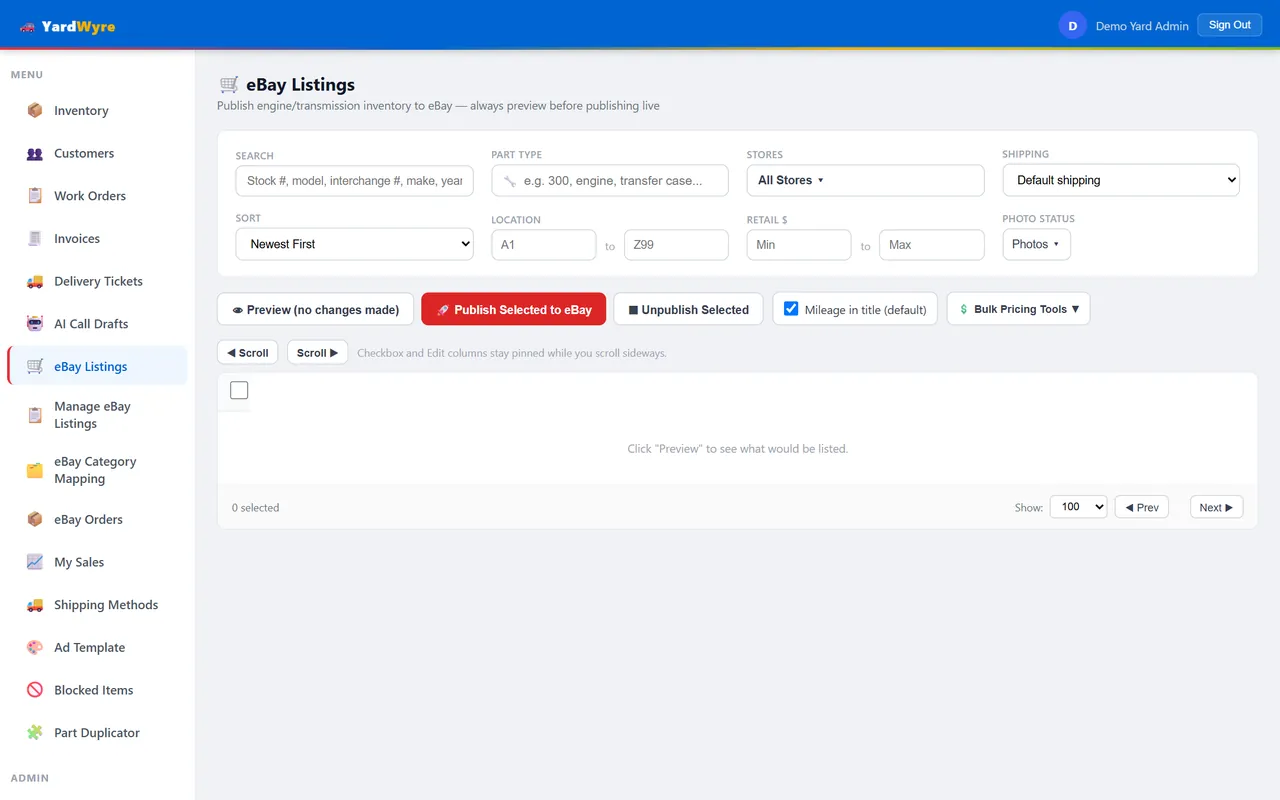
Select the parts you want listed and price the whole batch at once. Every new listing can be previewed before it goes anywhere near eBay.
- Apply a margin percentage across a selection, or price items individually
- Titles and fitment built from your interchange data
- The photos already on file for the part go up with it
Orders come back as work orders
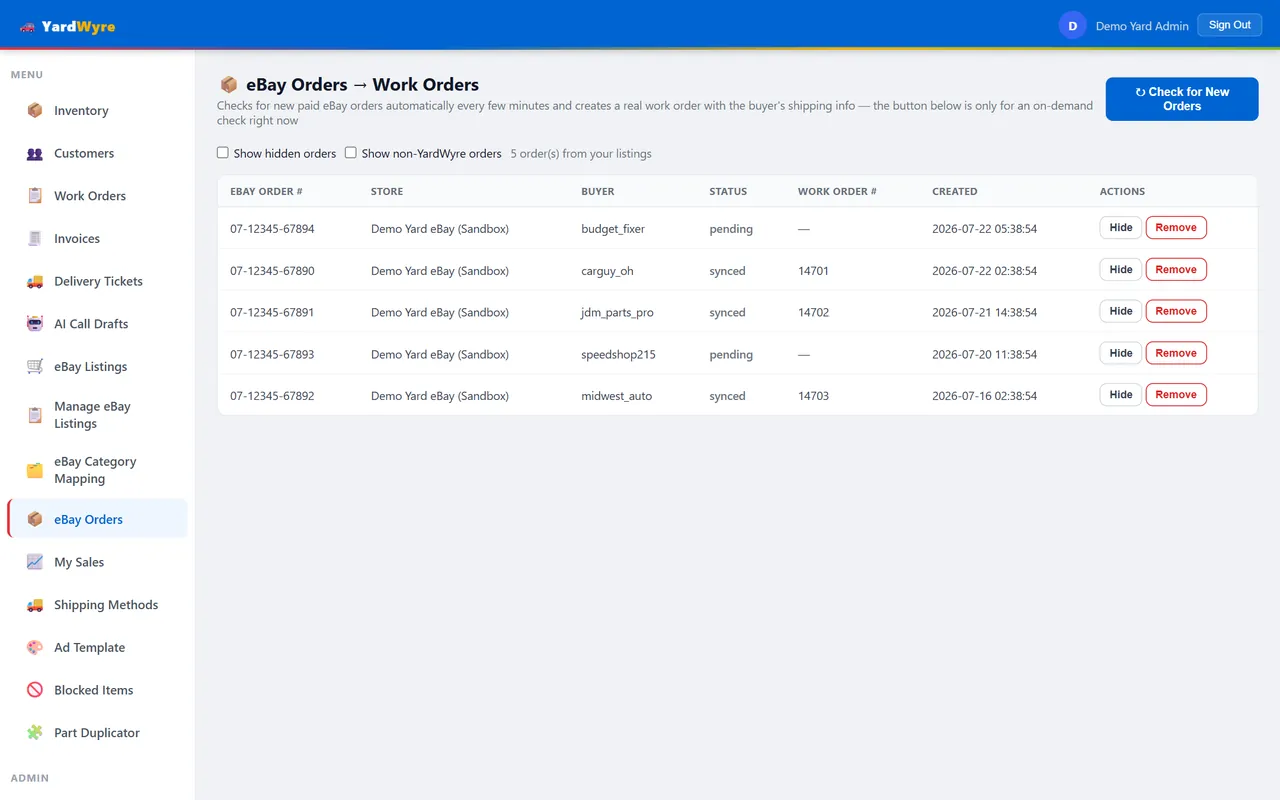
YardWyre checks for paid eBay orders every few minutes and writes the matching work order into your yard system — so the part gets pulled without anyone rekeying a sale.
- Created under a dedicated employee, so eBay sales are easy to report on
- Sales that didn't come from YardWyre are recorded but left alone
Run more than one eBay store
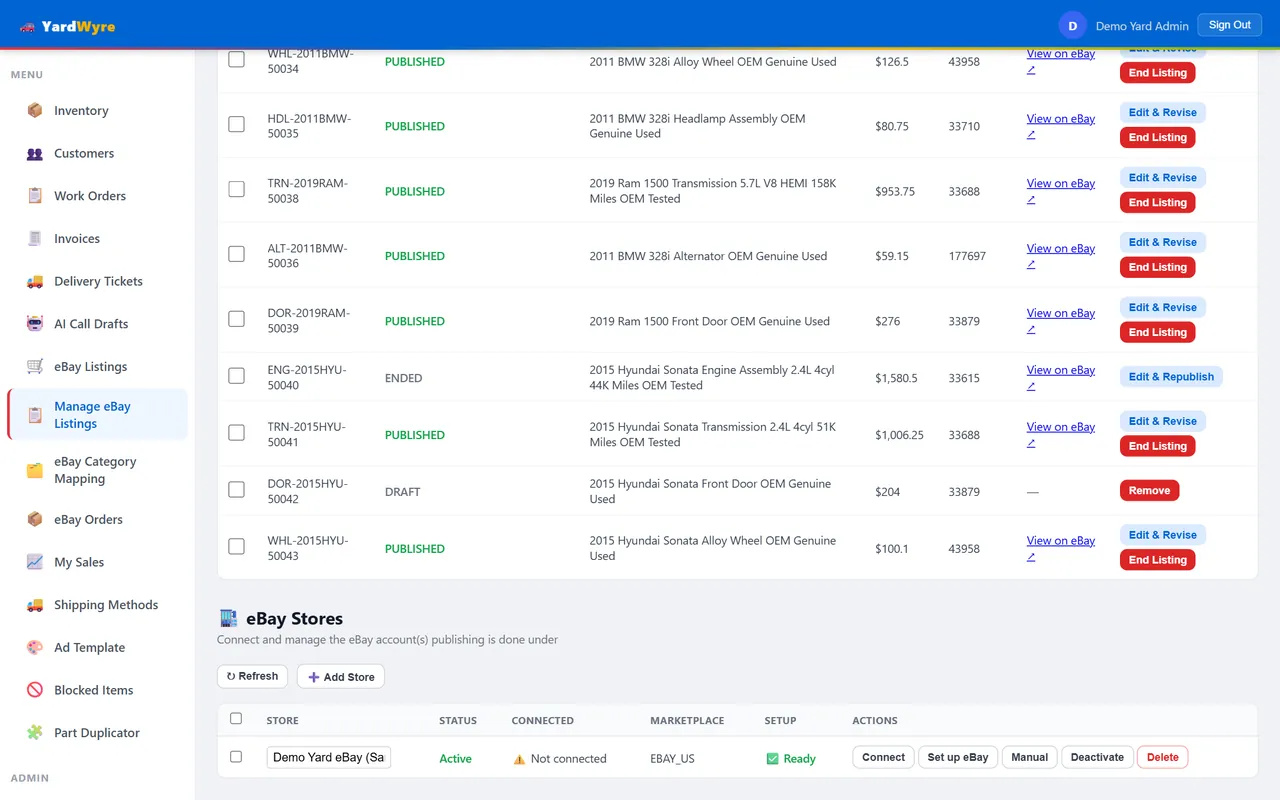
Yards often sell under several eBay accounts. Each one connects separately and publishes independently, all managed from a single dashboard.
- Per-store shipping policies and ship-from locations
- Staff can be restricted to just the stores they should touch
See what eBay is actually earning
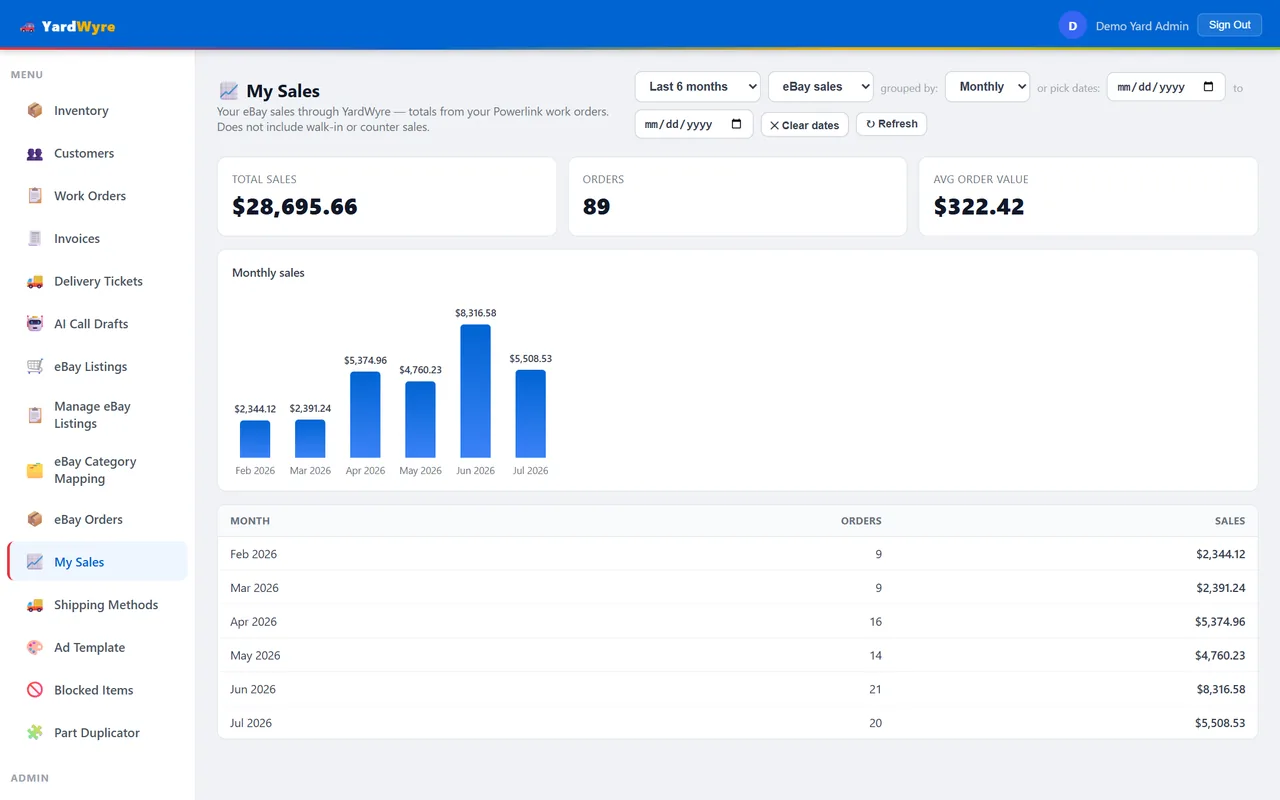
Monthly totals drawn from your own yard system figures — not an estimate, and not a number you have to assemble by hand.
- Filter by date range
- Visible only to the staff you choose
Catches listings eBay has quietly hidden
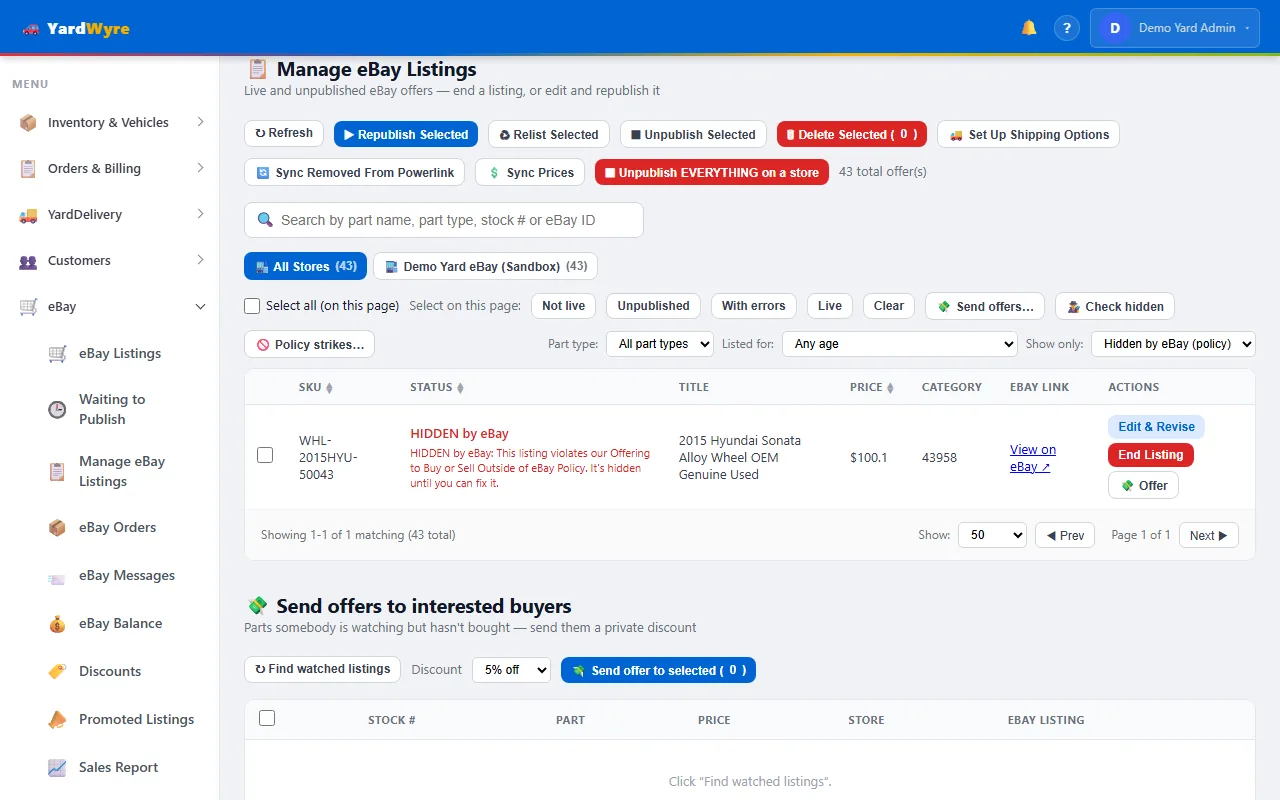
eBay can hide a listing for a policy violation without ending it — every seller screen still says live, but no buyer can see it. YardWyre checks your live listings against eBay itself, flags the ones it's hiding, and refuses to relist that part until the strike is cleared, because relisting a struck item is exactly what turns one violation into an account problem.
- Automatic hourly check, plus a button when you want an answer now
- Hidden listings show in red with eBay's own reason
- Publish and relist refuse a struck part until you clear it after a won appeal
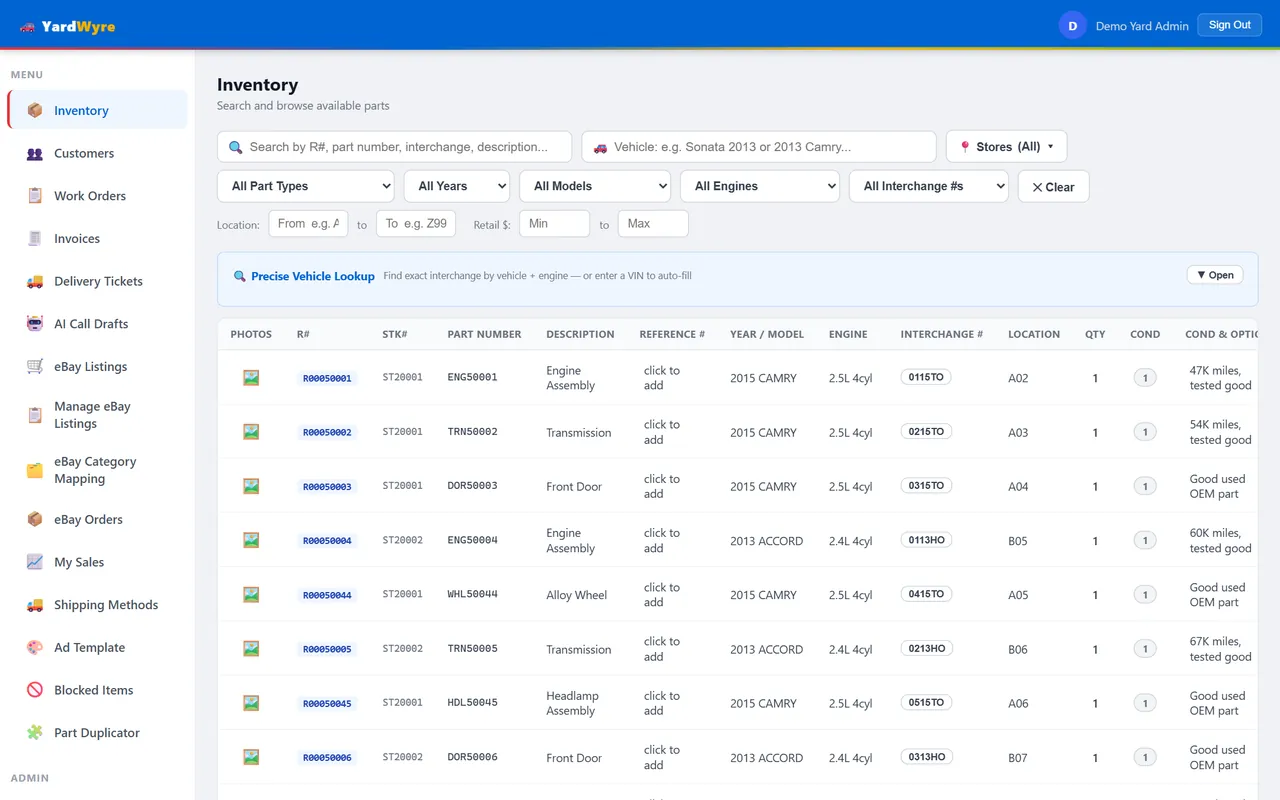
Your whole counter, in the browser
Inventory lookup, customers, work orders, invoices and delivery tickets all read and write your live yard data — from any machine, not just the one in the office.
- Search stock across every yard location
- Per-person permissions decide who sees what
Spot the sales you are missing: know what your customers are asking for
Every part that gets searched is recorded — including the ones you didn't have. Part Search History turns that into a demand report: exactly what's being looked for, how many times, and whether it's sitting on your shelves. Stop guessing what to buy — stock the missing parts your customers keep asking for and turn lost searches into sales.
- See the parts customers want that you're not stocking — your acquisition shortlist
- Ranked by how often each is searched over any date range you choose
- Filter by part type or vehicle; check any interchange for stock in one click
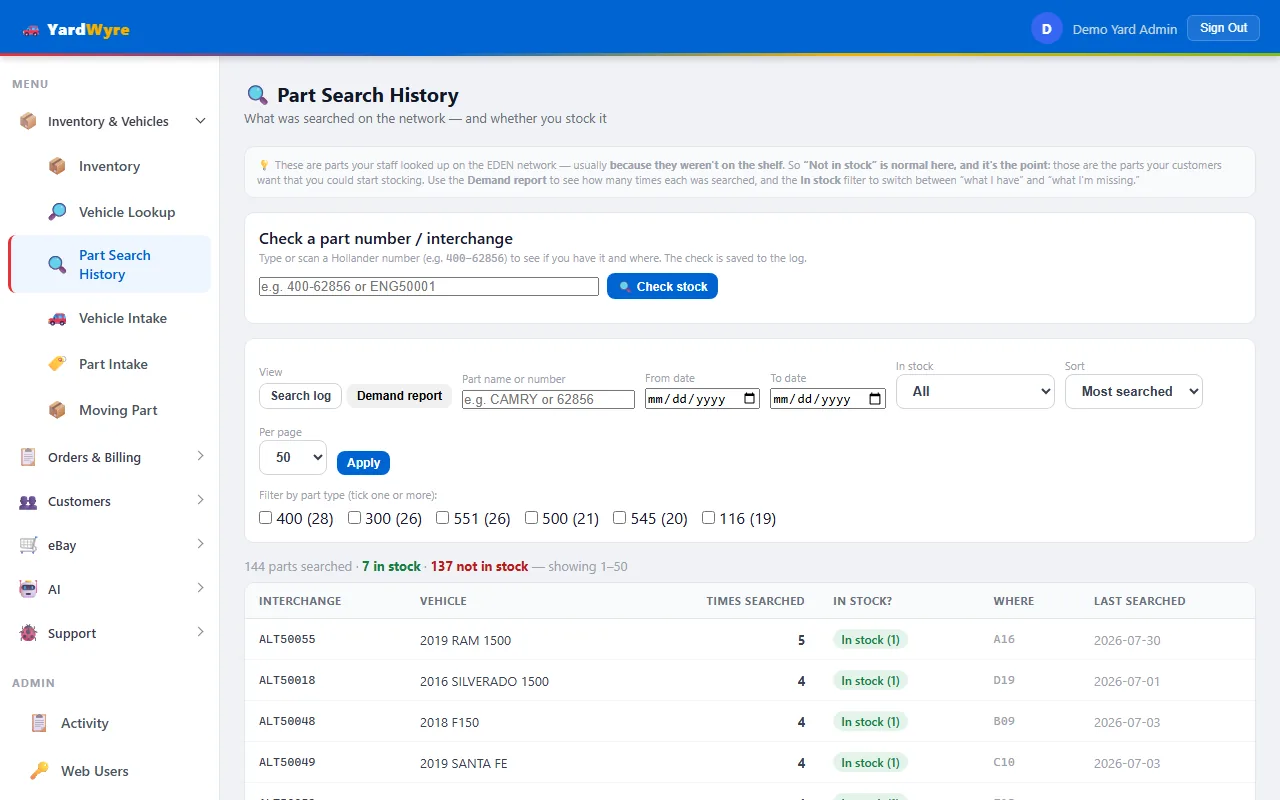
Screens shown use a demonstration yard with sample parts.
And once it's listed
The things you reach for after a part is live — across your stores, in bulk, or to push a listing harder.
-
Bulk edit
Change many listings at once
Select a batch and set the shipping method, return policy, payment policy, store category, eBay category or price in one action. Part types map to eBay categories once, so you are not choosing a category per part.
-
Listing control
Publish, re-publish or end a listing
Take a part live, push an updated listing back up after an edit, or end one that is no longer for sale — one at a time or across a batch, without leaving YardWyre.
-
eBay marketing
Run a sale, or promote a listing
Put a percentage off a set of live listings and pause or end it from here. Or run a Promoted Listings campaign, where eBay takes a share of the sale price for better placement — charged only when the part actually sells.
-
eBay demand
See what has competition, and what doesn't
For any part, YardWyre shows how many other sellers are listing the same thing on eBay — how crowded the market is. Browse and rank your own inventory by it, so you can see where you are up against the field and where you would have it to yourself.
-
Price check
Price against the live market
Search what other sellers ask on eBay right now for the same part. The low, median, average and high are computed over the whole result set — up to a thousand listings — with every competitor's price, shipping and seller rating, sortable and pageable. Priced from the market, not from a guess.
-
Activity
Know who did what
Every add, change and delete is recorded per person — which feature, what action, when, and whether it succeeded. The report folds into a group per feature, filters by user and date, and is itself a permission only the people you choose can open.
-
Permissions
Every feature is a checkbox per person
Intake for the gate crew, price check for the counter, revenue reports for the office. Access is granted per user and per feature — view-only where that's enough, and nothing revealed to an account that doesn't need it.
See it on your own inventory
We'll connect a copy of your parts data and show you exactly what would list, what it would price at, and what it would earn.